Report Flow
The DynamicPDF Core Suite Designer defines a general layout of the PDF report as a template, which is to be generated (saved as a DLEX file). This DLEX file is used by the DynamicPDF LayoutEngine to create the actual PDF report.
In the Designer you can:
- Set Page Heights, Widths and Margins
- Set Header and Footer Sections
- Add Elements to any Section
- Include multiple Reports in a single Report
- Add static Pages before or after Reports
The Designer generates a template for the Report. This template is a DLEX file. The actual report is generated in the LayoutEngine as follows:
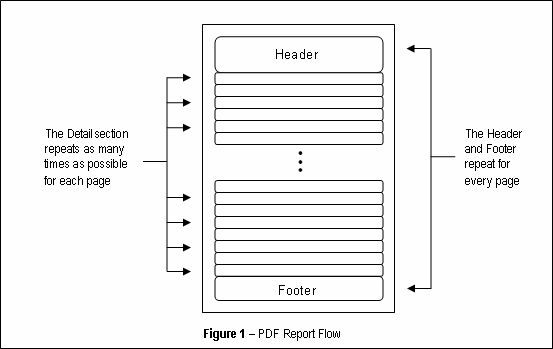
- A new Page is added to the PDF using the defined dimensions and margins specified in the DLEX file.
- The Header and Footer are placed on the Page.
- The Detail section (defined in the DLEX file) is then added for every record on the the RecordSet (see Figure 1 below).
- The report is complete if the end of the RecordSet is reached. Otherwise an additional Pages are added.
- Repeat Steps 1 to 3 until all records have been displayed.